> ## Documentation Index
> Fetch the complete documentation index at: https://docs.mx.com/llms.txt
> Use this file to discover all available pages before exploring further.
# Cash Flow Widget Overview
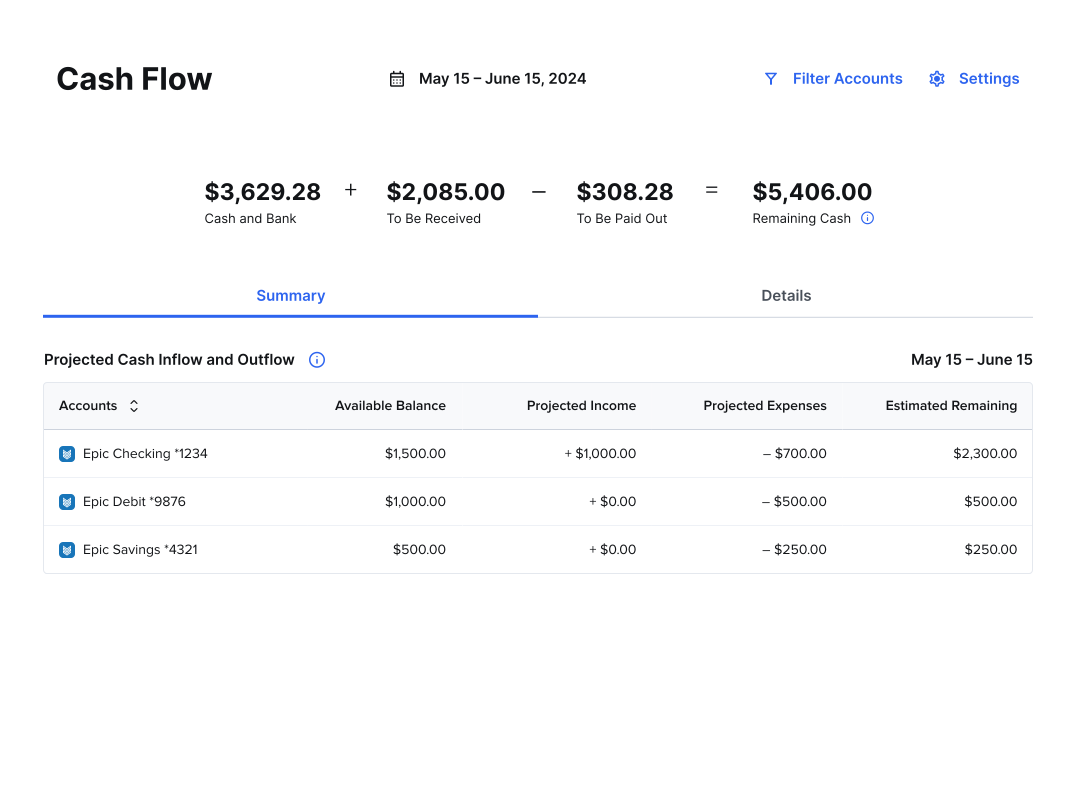
The Cash Flow Widget helps users project how much cash they'll have for the next 30 days, based on the user's checking and savings accounts. This widget uses transactions that have been classified as [repeating transactions](/api-reference/platform-api/reference/transactions#repeating-transactions).
 A smaller view of the widget is available (mini widget). This view displays key information and drives traffic to the full widget for more details.
 This is how the widget appears when there is no available data.
 This is how the widget appears before accounts are connected.
 ## Key Features
* See each account's balance, projected income and expenses, and remaining cash for that month
* Filter the accounts that show in the widget
* Manage expenses and income by adding a recurring transaction, modifying an existing one, or removing one entirely
**DEVELOPER NOTE**
You can integrate this widget so that the "Manage Income" drawer is open by default. See the [`deep_link_params`](/api-reference/platform-api/reference/widgets) for more details.
## Key Features
* See each account's balance, projected income and expenses, and remaining cash for that month
* Filter the accounts that show in the widget
* Manage expenses and income by adding a recurring transaction, modifying an existing one, or removing one entirely
**DEVELOPER NOTE**
You can integrate this widget so that the "Manage Income" drawer is open by default. See the [`deep_link_params`](/api-reference/platform-api/reference/widgets) for more details.