> ## Documentation Index
> Fetch the complete documentation index at: https://docs.mx.com/llms.txt
> Use this file to discover all available pages before exploring further.
# Spending Widget Overview
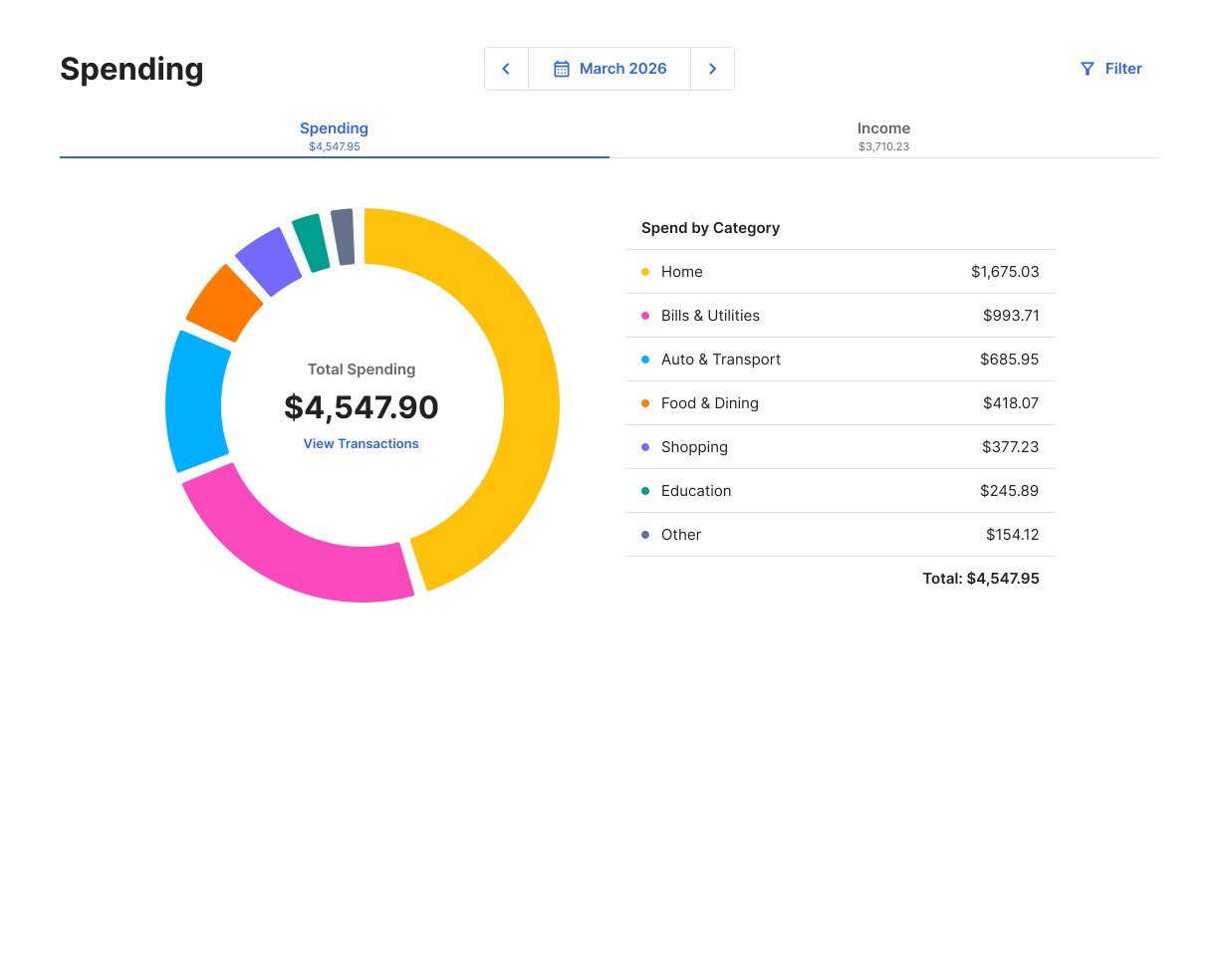
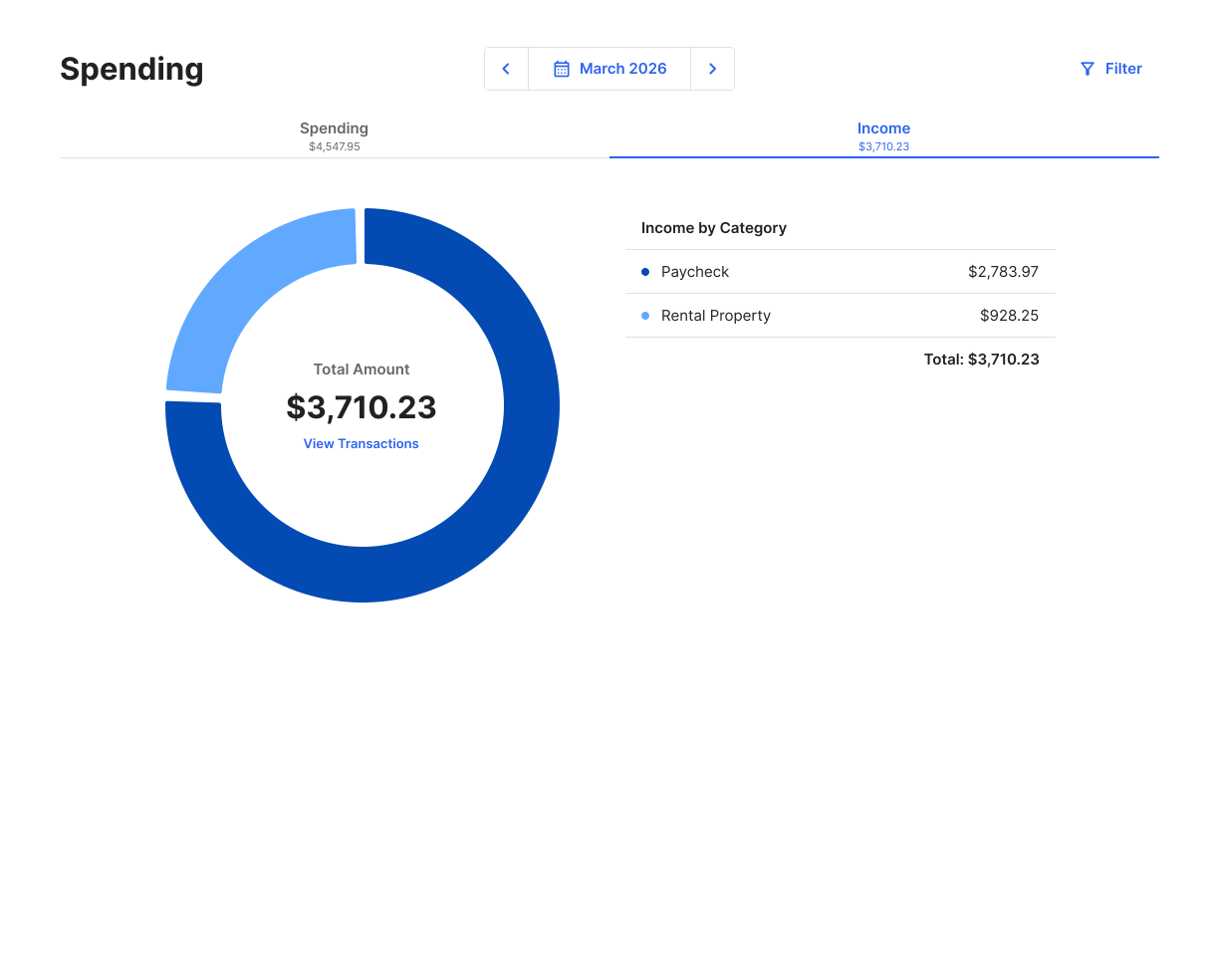
The Spending Widget lets end users better understand their spending and income.
The main screen breaks down spending by category.
 The second screen breaks down income by category.
 A smaller view of the widget is available (mini widget). This view displays key information and drives traffic to the full widget for more details.
 ## Key Features
* See spending and income by category
* Filter the accounts shown
* Apply a custom date range for filtering
* View all transactions related to spending, income, or specific categories
**NOTE**
Transactions categorized as `Transfers` or `Investments` won't display in this widget. For a full list of categories, see our [API reference](/api-reference/platform-api/reference/transactions#transaction-categories).
## Key Features
* See spending and income by category
* Filter the accounts shown
* Apply a custom date range for filtering
* View all transactions related to spending, income, or specific categories
**NOTE**
Transactions categorized as `Transfers` or `Investments` won't display in this widget. For a full list of categories, see our [API reference](/api-reference/platform-api/reference/transactions#transaction-categories).