

mxbank) to test different aggregation responses. Creating a test member with this institution allows you to use custom credentials to mimic various aggregation workflows.
For example, you can use MX bank to test a complicated flow such as aggregation with MFA:
- Aggregate the test member (or create a new test member)
-
Poll the member’s connection status.
- With MX Bank, this will return with a
challengesobject.
- With MX Bank, this will return with a
-
Answer the challenge using the resume aggregation endpoint
- On MX Bank, responding with
"value": "challenge"will answer the first question correctly and trigger a follow-up challenge.
- On MX Bank, responding with
-
Poll the status again.
- This will return another
challengesobject.
- This will return another
-
Answer the second challenge.
- On MX Bank, answering with
"value": "correct"will result in a successful aggregation.
- On MX Bank, answering with
- Poll the status until an end state is reached.
Test credentials for MX Bank
The test credentials for different situations are as follows:Testing with MX Bank and OAuth in the Connect Widget
You will only be able to test OAuth flows in the integration environment with MX Bank (OAuth) (institution code:mx_bank_oauth).
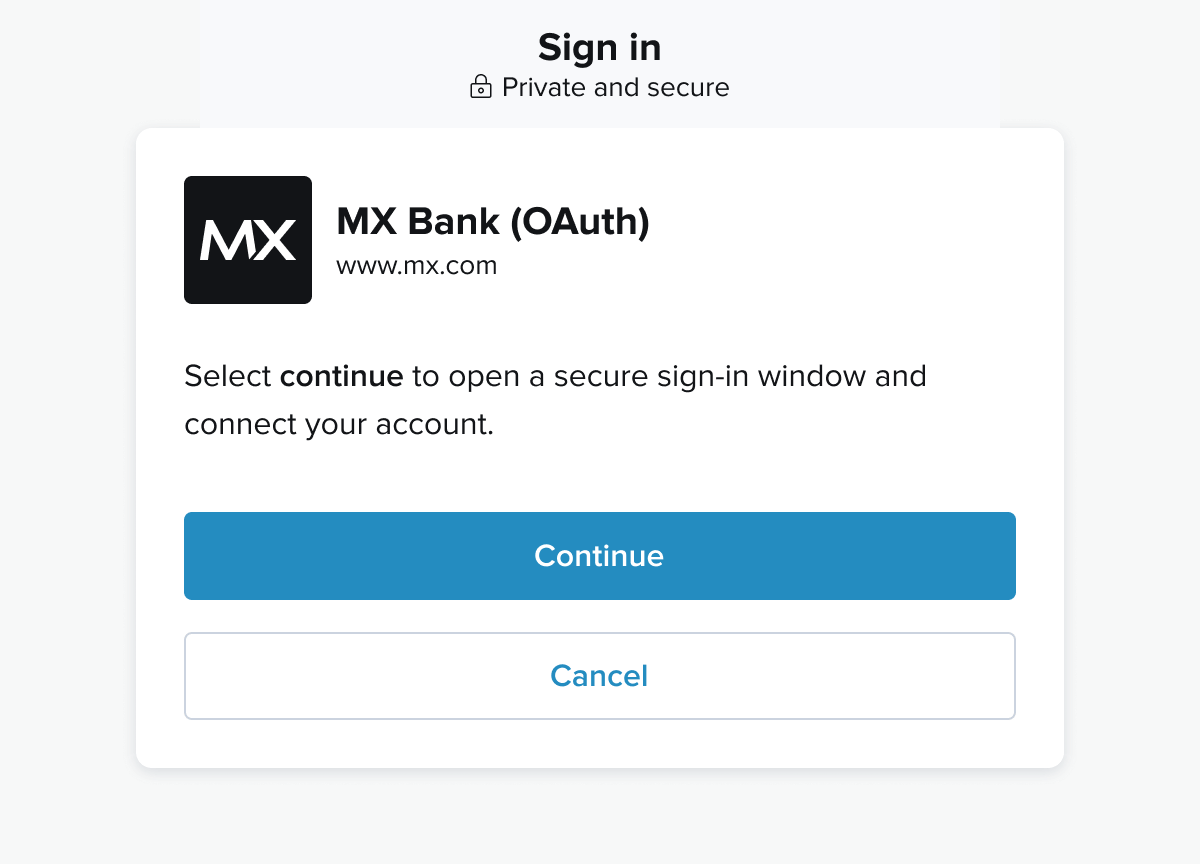
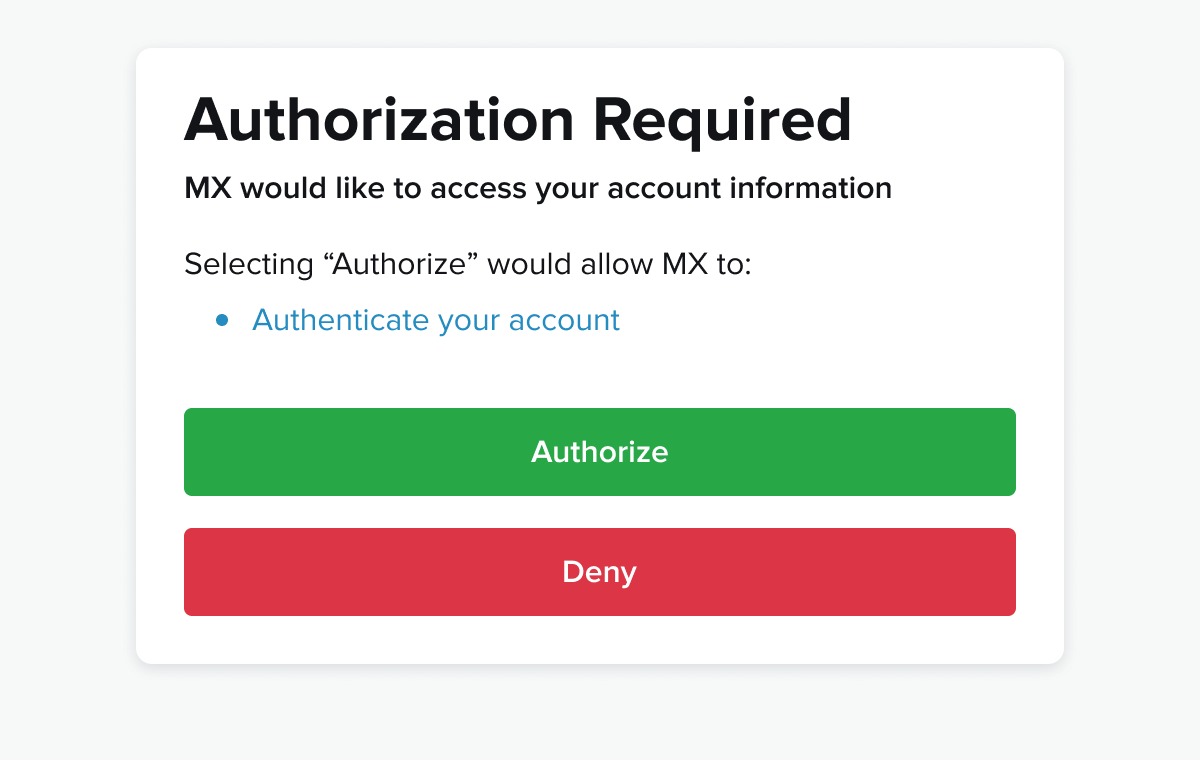
When you select MX Bank (OAuth) from search, or load the Connect with it via current_institution_code. You should see the following screen before going to the OAuth provider:
Test Endpoints
MX provides test endpoints to aid developers in working the flows and other issues with their Atrium integrations. Test endpoints return static data. Certain endpoints can take aconnection_status string as a URL parameter in place of the typical GUID. This will return a member in the state corresponding to the given connection_status.
Accounts
Main docs.List accounts for a member
Endpoint:GET /users/test_atrium/members/test_atrium_member/accounts
Request
List accounts for a user
Endpoint:GET /users/test_atrium/accounts
Request
Read an account
Endpoint:GET /users/test_atrium/accounts/test_atrium_account
Request
Request Connect Widget
Endpoint:POST /users/test_atrium/connect_widget_url
Request
Holdings
List Holdings For A User
Endpoint:GET /users/test_atrium/holdings
Request
List Holdings For a Member
Endpoint:GET /users/test_atrium/members/test_atrium_members/holdings
Request
List Holdings For an Account
Endpoint:GET /users/test_atrium/accounts/test_atrium_account/holdings
Request
Read a Holding
Endpoint:GET /users/test_atrium/holdings/test_atrium_holding
Request
Institutions
Main Docs.List Institutions
Endpoint:GET /test_institutions
Request
List Institution Credentials
Endpoint:GET /institutions/test_mxbank/credentials
Request
Read an Institution
Endpoint:GET /institutions/test_mxbank
Request
Account Owner Identification
Identify
Endpoint:POST /users/test_atrium/members/test_atrium_member/identify
Request
Read Account Owners
Endpoint:GET /users/test_atrium/members/test_atrium_member/account_owners
Request
Members
Main docs.Create a member
Endpoint:POST /users/test_atrium/members
Request
List members
Endpoint:GET /users/test_atrium/members/
Request
Read a member
This endpoint will return a testmember in a state corresponding to the connection_status passed in the URL where a member_guid would typically go. Using the GUID test_atrium_member will return a member with the status CONNECTED.
Endpoint: GET /users/test_atrium/members/test_atrium_member
or
Endpoint: GET /users/test_atrium/members/{connection_status}
Request
Update a member
This endpoint will return a testmember in a state corresponding to the connection_status passed in the URL where a member_guid would typically go. Using the GUID test_atrium_member will return a member with the status CONNECTED.
Endpoint: PUT /users/test_atrium/members/test_atrium_member
or
Endpoint: PUT /users/test_atrium/members/{connection_status}
Request
Delete a member
Endpoint:DELETE /users/test_atrium/members/test_atrium_member
Request
Aggregate a member
This endpoint will return a testmember in a state corresponding to the connection_status passed in the URL where a member_guid would typically go. Using the GUID test_atrium_member will return a member with the status CONNECTED.
Endpoint: POST /users/test_atrium/members/:connection_status/aggregate
Request
Read a member’s connection status
This endpoint will return a testmember in a state corresponding to the connection_status passed in the URL where a member_guid would typically go. Using the GUID test_atrium_member will return a member with the status CONNECTED.
Endpoint: GET /users/test_atrium/members/:connection_status/status
Request
Read a member’s MFA challenges
This endpoint takes one of four URL parameters which return three different types of MFA challenges:text, options, image, and image_options.
Endpoint: GET /users/test_atrium/members/:challenge_type/challenges
Request
Resume aggregation from MFA
Endpoint:PUT /users/test_atrium/members/test_atrium_member/resume
Request
List a member’s credentials
Endpoint:GET /users/test_atrium/members/test_atrium_member/credentials
Request
List a member’s accounts
Endpoint:GET /users/test_atrium/members/test_atrium_member/accounts
Request
List a member’s transactions
Endpoint:GET /users/test_atrium/members/test_atrium_member/transactions
Request
Merchants
Main docs.Read a merchant
Endpoint:GET /merchants/test_atrium_merchant
Request
Extended Transaction History
Main docs.Extend transaction history
Endpoint:POST /users/test_atrium/members/test_atrium_member/extend_history
Request
Transactions
Main docs.List Transactions for a User
Endpoint:GET /users/test_atrium/transactions
Request
List Transactions by Account
Endpoint:GET /users/test_atrium/accounts/test_atrium_account/transactions
Request
Read a Transaction
Endpoint:GET /users/test_atrium/transactions/test_atrium_transaction
Request
Categorize Transactions
Endpoint:POST /test_transactions/cleanse_and_categorize
Request
Users
Main docs.Create a User
Endpoint:POST /test_users
Request
List Users
Endpoint:GET /test_users
Request
Read a User
Endpoint:GET /users/test_atrium
Request
Update a User
Endpoint:PUT /users/test_atrium
Request
Delete a user
Endpoint:DELETE /users/test_atrium
Request
Instant Account Verification
Main docs.Verify
Endpoint:POST /users/test_atrium/members/test_atrium_member/verify
Request
Read Account Numbers
Endpoint:/users/test_atrium/members/test_atrium_member/account_numbers
Request