

NEW TO MX CONNECTIVITY?See the Connectivity Overview to learn about our Connectivity products and integration options.
Integrate using the Connect Widget
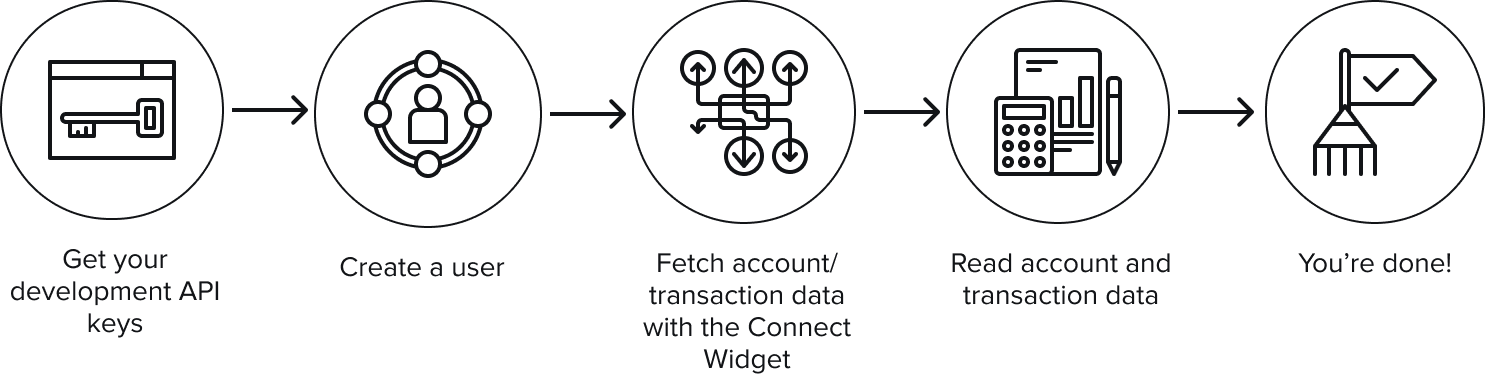
Use the Connect Widget and Platform API to let end users connect to their accounts.
Integrate using the Platform API
Use the Platform API to power a non-MX UI connection experience.
Aggregation
Aggregation is an important feature of the Platform API. Aggregating data enables people to see when, where, and how much they are spending. This helps you build solutions that can improve the financial lives of your institution’s customers. The best way to aggregate data is with the Connect Widget, MX’s ready-made UI that can be embedded in your application to aggregate users’ account data by prompting end users to connect to their financial institutions using their credentials. This is the preferred method of aggregation.Background Aggregation
MX automatically aggregates eachmember approximately every 24 hours. This process is called background aggregation. It ensures that end users’ data is always up to date. This is beneficial because, if a background aggregation is successful (for example, the products.last_updated_at field on the member status indicates a time within the last 24 hours), you can choose to skip foreground aggregation and jump right to reading account and transaction data, which can help you load things faster in your product.
This background aggregation can be disabled by default for all members. Please reach out to MX to have this setting configured.
Background aggregation can be disabled or enabled for individual members by setting the background_aggregation_is_disabled field when creating or updating a member (or the disable_background_agg configuration option when using the Connect Widget).
Background aggregation is also disabled for members created for account verification when using the Connect Widget (when data_request.products requests account_verification). You can override this behavior by setting the disable_background_agg widget option to false. Note that this only affects newly created members.
There are a few other general rules related to background aggregation:
- The data source must allow background aggregation. Most sources do, but there are cases in which the data source does not.
- The member must not have been aggregated in the last 20 hours.
- The member must be in a
CONNECTED,UPDATED, orCREATEDstate.
Foreground Aggregation
If an end user is present, you can choose to manually run a foreground aggregation. End users must be present during foreground aggregations because they may run into MFA, credential update requests, terms and conditions agreements, or other situations requiring end-user input. Just keep in mind that you cannot run a new aggregation within three hours of a successful aggregation, whether foreground or background. Thus, attention must be paid to theproducts.last_attempted_at and products.last_updated_at member status fields while you’re developing your product with the Platform API.
Both foreground and background aggregation may be prevented by disabling a
user. A user must be re-enabled before any aggregation can be attempted. We may suspend background aggregation on a particular member in some circumstances, such as when several consecutive aggregation attempts fail. However, you can always attempt a foreground aggregation on a suspended member.Sample Data
Read account
Returns the attributes of a specific account.
Read transaction
Returns the attributes of a specific transaction.