Create Audiences
Create audiences of users by filtering current connections or connections over time data. For example, filter for users that use specific third party applications or categories of applications and create an audience. Then, use Messaging to create a focused, detailed, informed message for users you have selected to target within the audience.Current Connections
Dashboard to view analytics, create audiences, filter by category, and export connections list.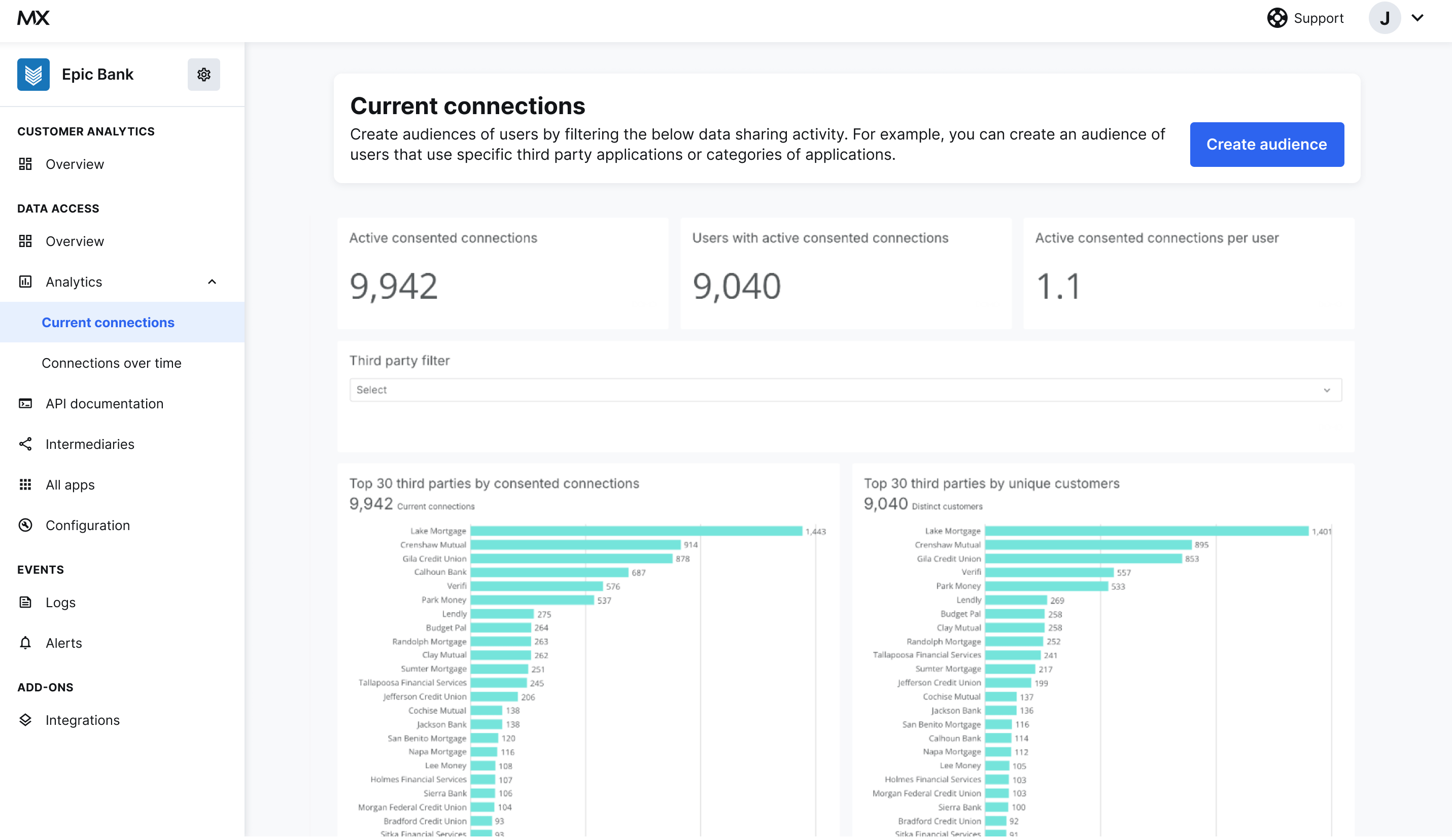
- Active consented connections
- Users with active consented connections
- Active consented connections per year
- Top 30 third parties by consented connections
- Top 30 third parties by unique customers
- Connections by category
- Distinct users by category
- Customer location when creating a connection
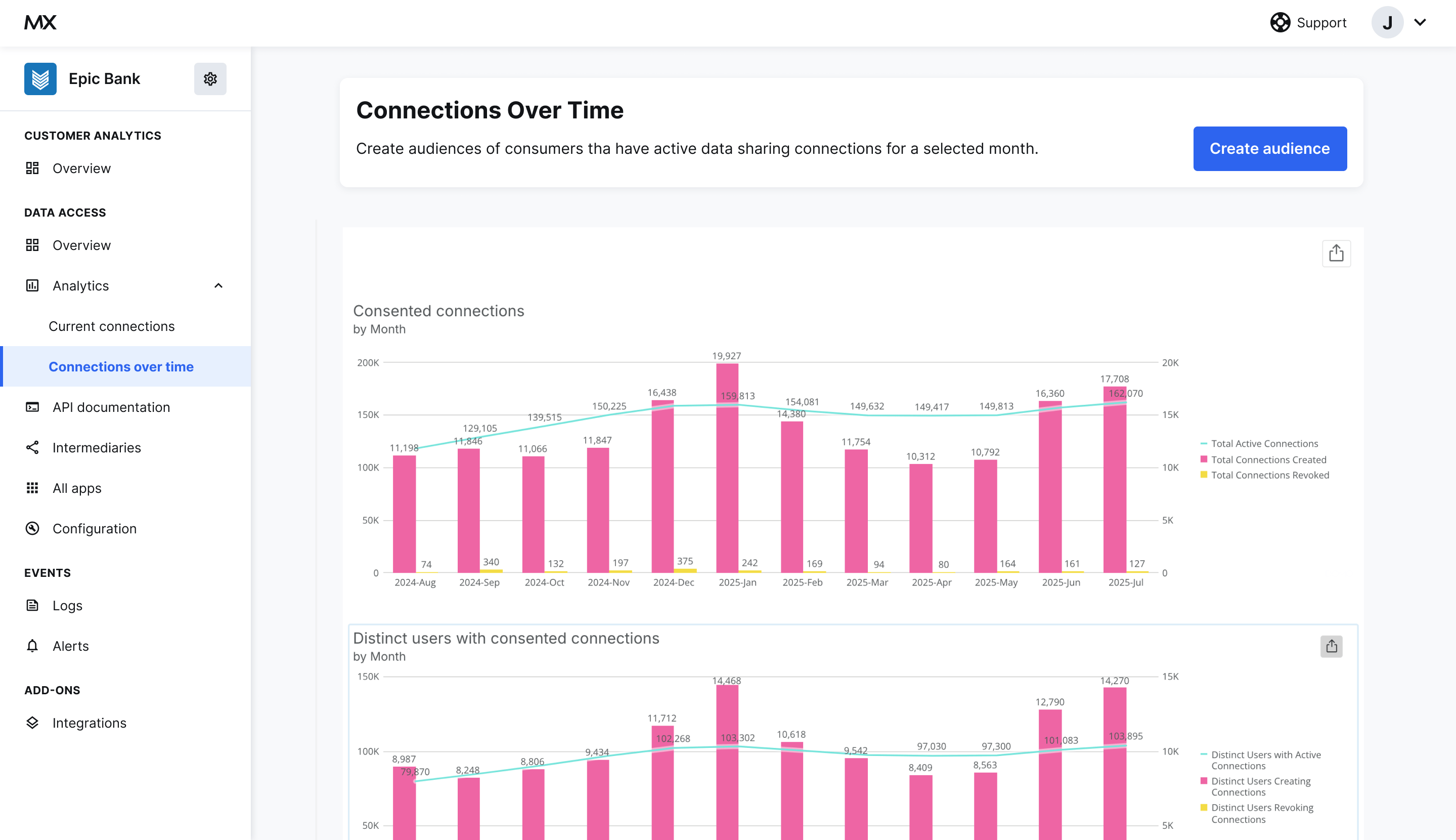
Connections Over Time
In this dashboard, view consented connections by month and create audiences.