
Logs

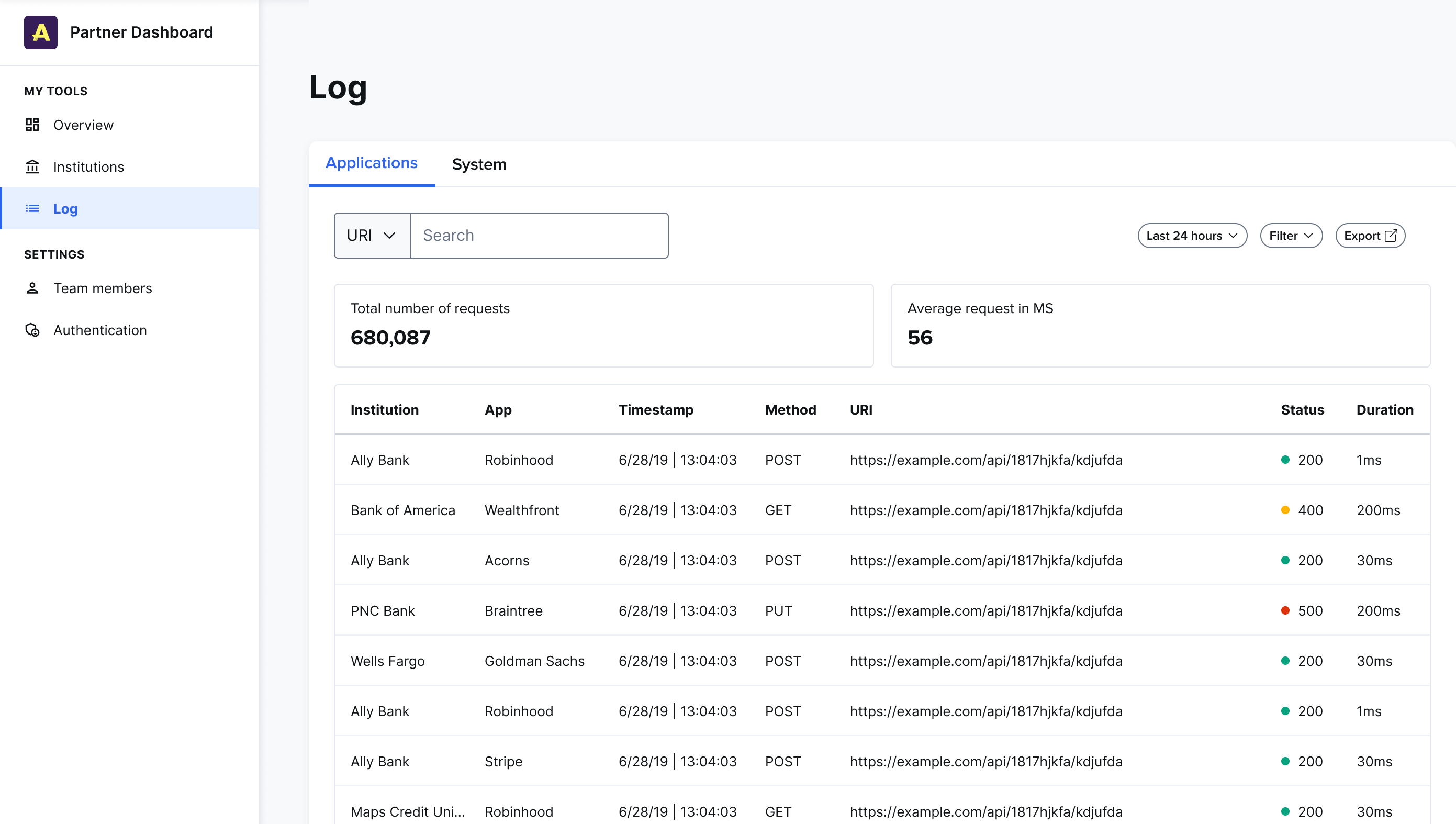
This feature shows a real-time view of all the application and system logs for all institutions under you as a channel partner. Application logs show all requests from the data-sharing experience that’s used by all institutions' end users.

System logs show all the requests from the data provider portals for all institutions.

This feature helps you troubleshoot issues. By default, filters display all logs from the last 24 hours. You can adjust these filters (status, method, intermediary, and app) to find a specific log entry.

Shows the Logs feature in the channel partner portal

You can view an individual log entry to see the following details:

  • The institution that received the request.
  • The app the request is coming from.
  • The intermediary that facilitates the request.
  • The timestamp for the request.
  • The method (such as POST, GET, or PUT).
  • The HTTP status of the request.
  • The URI for the request.
  • The duration of the request.