To integrate the widget, see Integrating Insights Widgets.
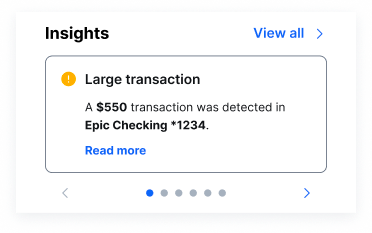
- A header that says Insights.
- A View all > CTA.
- A carousel of a user’s insights. Each insight includes a Learn more CTA. This carousel contains up to five insight cards and has an additional card at the end of the carousel that directs users to the Insights Widget.
Configurations & Customizations
The callouts in the following image will be referenced in this section.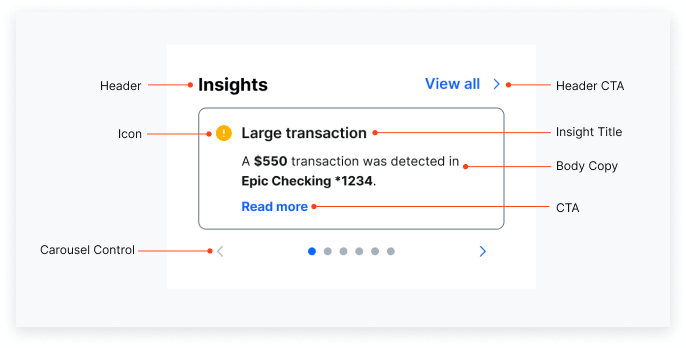
- Change the language used in the widget.
- Filter which insights appear by date. Insights older than the set date won’t appear. (SSO API only)
- Filter which insights appear by template name. (SSO API only)
- Change which insights are enabled for you. You can request that MX enable different insights to display in your Micro Insights Widget, Insights Widget, and Mini Insights Widget.
- Customize any insight’s title or body copy. See the Insights Library for all default copy.
- Customize the Insights header copy and the View all > CTA copy.
- Customize the thresholds used to trigger some insights.
- Customize the widget’s brand color. This color affects various elements, like CTA text colors. If you want to change this, provide MX with a hex code for your brand’s primary color. Changing this setting will affect the brand color used in all other PFM and insights widgets.
- Disable the widget’s header. This turns off both the Insights title and the View all > CTA. You can’t disable just one.
- Disable all icons.
- Disable the card border from displaying.
- Disable the default 32px margin outside of the left and right of each card’s border.
- Have the Read more CTA appear directly below the body copy instead of at the bottom of the card.
-
Set your widget to display in dark mode. We can set insights widgets to either:
- Display in light or dark mode for all users.
- Or follow each end user’s system preferences.
Example Brand Color
The following image shows what the Micro Insights Widget looks like with a different brand color.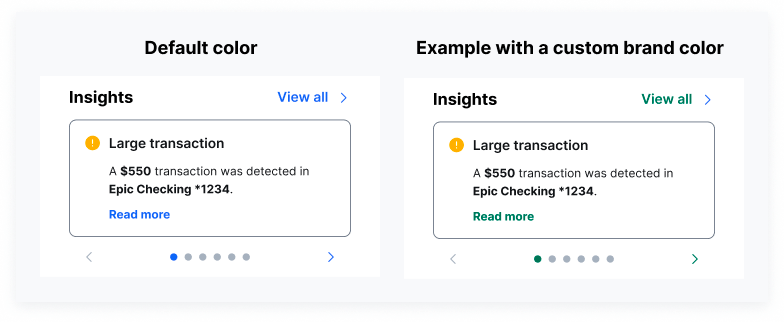
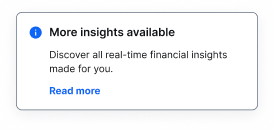
More Insights Available Card
The More insights available card is the last in the carousel if the widget is in a non-zero state. This card directs the user to the insights feed (the Insights Widget). It has the following copy:- Default title copy: More insights available
- Default body copy: Discover all real-time financial insights made for you.
Recommended Dimensions
We recommend a width-to-height ratio of 3:2. The minimum width we suggest is 200px. Optimal width x height is 320px x 224px. If dynamic text within an insight becomes too long and is unable to fit within the card, then the text will truncate with an ellipsis.Supported Character Count
If you decide to change the default copy in an insight, keep in mind the maximum character count we support and recommend:- We support a maximum of 34 characters for the title copy and a maximum of 82 characters for the body copy.
- We recommend a maximum 28 characters for the title copy and a maximum of 65 characters for the body copy.
Zero State
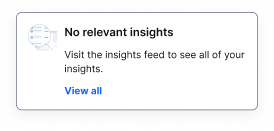
The widget has two zero states:- One for new users who don’t have any insights.
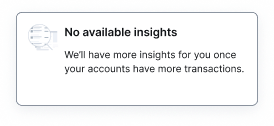
- And another for users who have no relevant insights that generate in that specific instance of the Micro Insights Widget.