

- Overview
- Empty State
The Investments Widget shows a user’s investment accounts in one place and analyzes their investment data, offering insight into a portfolio’s composition and market positioning.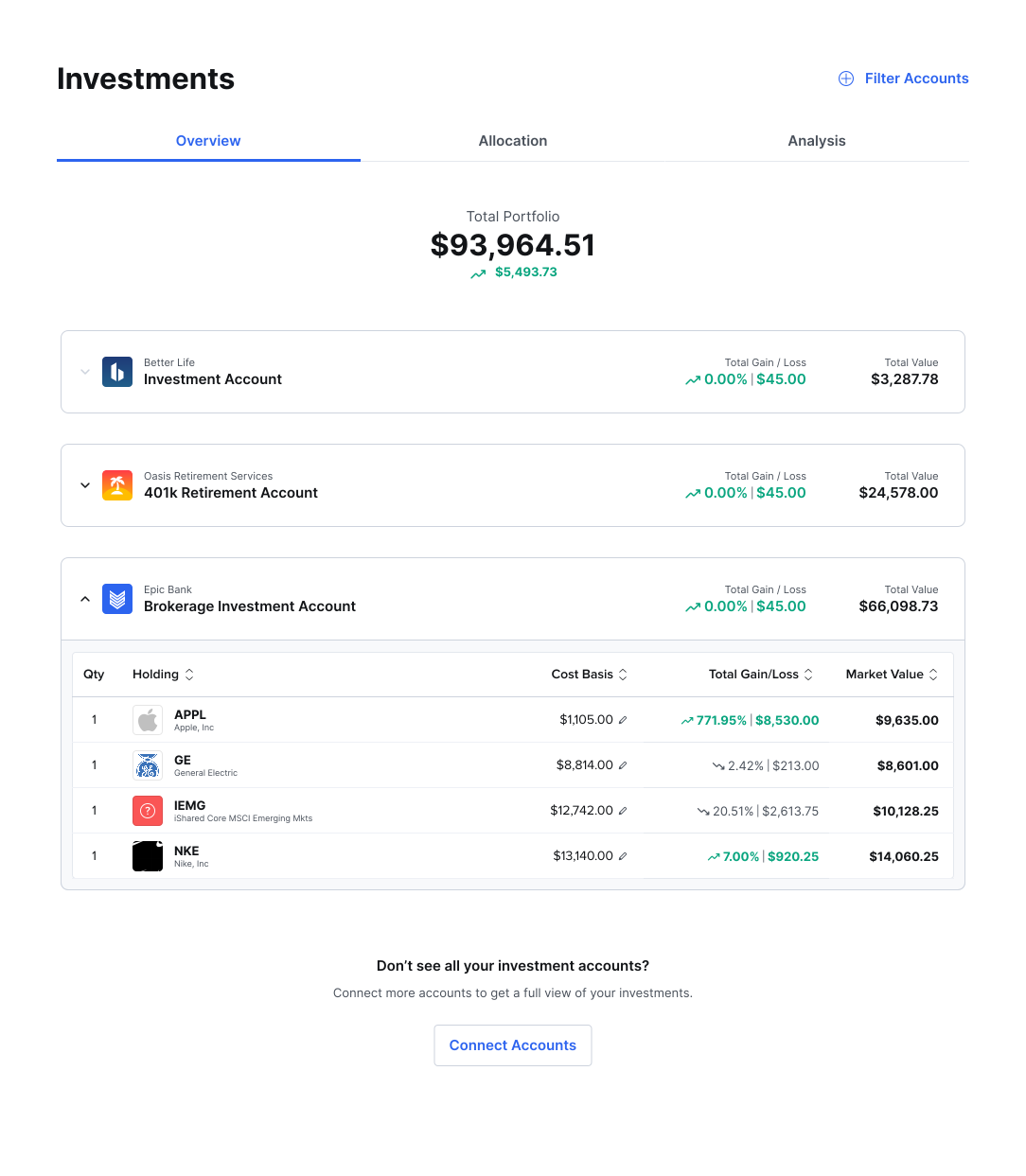

Key Features
- View investment account details like gains and losses
- Visualize allocations
- See total portfolio value
- Overview
- Allocation
- Analysis
Overview displays the total portfolio value and gain/loss, and then each linked account and its gain/loss percentage individually. Selecting the arrow next to an account will expand the row and display the holdings, cost basis, market value, and other data.

