
Testing Your Setup

MX provides a test institution in our development environment called MX Bank (institution code: mxbank) to test different aggregation responses. Creating a test member with this institution allows you to use custom credentials to mimic various aggregation workflows.

For example, you can use MX bank to test a complicated flow such as aggregation with MFA:

  1. Aggregate the test member (or create a new test member)
  2. Poll the member's connection status.
    • With MX Bank, this will return with a challenges object.
  3. Answer the challenge using the resume aggregation endpoint
    • On MX Bank, responding with "value": "challenge" will answer the first question correctly and trigger a follow-up challenge.
  4. Poll the status again.
    • This will return another challenges object.
  5. Answer the second challenge.
    • On MX Bank, answering with "value": "correct" will result in a successful aggregation.
  6. Poll the status until an end state is reached.

MX also provides dozens of test endpoints to mimic the behavior of other Atrium features and workflows.

Test credentials for MX Bank

The test credentials for different situations are as follows:

UsernamePasswordDescription
test_atriumpasswordThis mimics successful aggregation with no MFA.
test_atriumchallengeThis mimics a text-based MFA challenge. Answer with the word correct to successfully progress through MFA.
test_atriumoptionsThis mimics the "option list" type of MFA challenge. Select "correct" to successfully progress through MFA.
test_atriumimageThis mimics the image type of MFA challenge. Answer with the word "correct" to successfully progress through MFA.
test_atriumBAD_REQUESTThis mimics not having a username and password on the member. The member status will go to HALTED.
test_atriumUNAUTHORIZEDThis mimics the member having invalid credentials. The member status will go to DENIED.
test_atriumINVALIDThis mimics the member having invalid login and/or password fields. The member status will go to DENIED.
test_atriumLOCKEDThis mimics a user being locked out of their banking institution. The member status will go to DENIED.
test_atriumSERVER_ERRORThis mimics the financial institution having a server error. The member status will go to HALTED.
test_atriumUNAVAILABLEThis mimics the financial institution having a "service unavailable" error. The member status will go to HALTED.

Testing with MX Bank and OAuth in the Connect Widget

You will only be able to test OAuth flows in the integration environment with MX Bank (OAuth) (institution code: mx_bank_oauth).

When you select MX Bank (OAuth) from search, or load the Connect with it via current_institution_code. You should see the following screen before going to the OAuth provider:
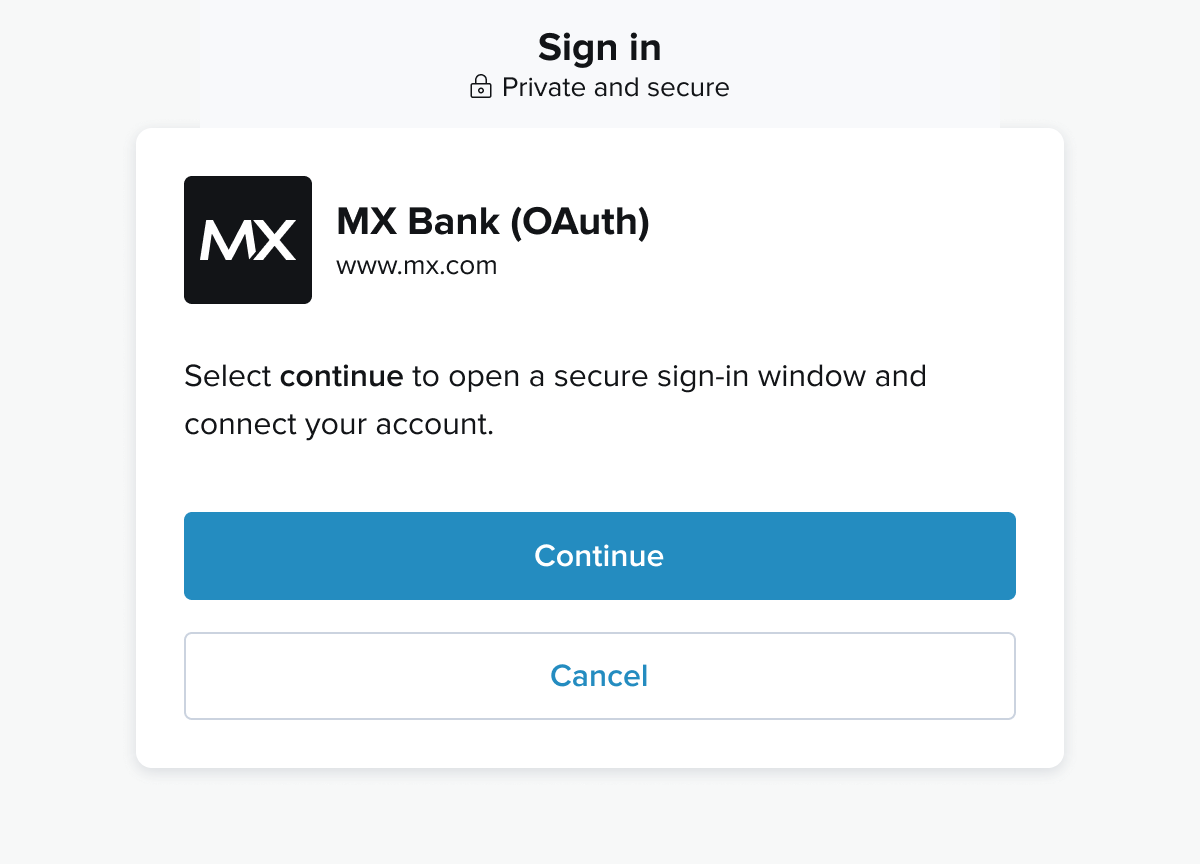
Screenshot of continue screen

Then you should end up on this page:

Screenshot of authorize screen

From here you can simply click "Authorize" to simulate authorizing and success paths, and "Deny" to simulate an error path.

Test Endpoints

MX provides test endpoints to aid developers in working the flows and other issues with their Atrium integrations. Test endpoints return static data.

Certain endpoints can take a connection_status string as a URL parameter in place of the typical GUID. This will return a member in the state corresponding to the given connection_status.

Accounts

Main docs.

List accounts for a member

Endpoint: GET /users/test_atrium/members/test_atrium_member/accounts

Request
Language:shell

_10
curl -X GET \
_10
https://vestibule.mx.com/users/test_atrium/members/test_atrium_member/accounts \
_10
-H 'Accept: application/vnd.mx.atrium.v1+json' \
_10
-H 'MX-API-Key: {your_api_key}' \
_10
-H 'MX-Client-ID: {your_client_id}'

List accounts for a user

Endpoint: GET /users/test_atrium/accounts

Request
Language:shell

_10
curl -X GET \
_10
https://vestibule.mx.com/users/test_atrium/accounts \
_10
-H 'Accept: application/vnd.mx.atrium.v1+json' \
_10
-H 'MX-API-Key: {your_api_key}' \
_10
-H 'MX-Client-ID: {your_client_id}'

Read an account

Endpoint: GET /users/test_atrium/accounts/test_atrium_account

Request
Language:shell

_10
curl -X GET \
_10
https://vestibule.mx.com/users/test_atrium/accounts/test_atrium_account \
_10
-H 'Accept: application/vnd.mx.atrium.v1+json' \
_10
-H 'MX-API-Key: {your_api_key}' \
_10
-H 'MX-Client-ID: {your_client_id}'

Request Connect Widget

Endpoint: POST /users/test_atrium/connect_widget_url

Request
Language:shell

_10
curl -i -X POST 'https://vestibule.mx.com/users/test_atrium/connect_widget_url' \
_10
-H 'Accept: application/vnd.mx.atrium.v1+json' \
_10
-H 'Content-Type: application/json' \
_10
-H 'MX-API-Key: {mx_api_key}' \
_10
-H 'MX-Client-ID: {mx_client_id}'

Holdings

List Holdings For A User

Endpoint: GET /users/test_atrium/holdings

Request
Language:shell

_10
curl -X GET \
_10
https://vestibule.mx.com/users/test_atrium/holdings \
_10
-H 'Accept: application/vnd.mx.atrium.v1+json' \
_10
-H 'MX-API-Key: {your_api_key}' \
_10
-H 'MX-Client-ID: {your_client_id}'

List Holdings For a Member

Endpoint: GET /users/test_atrium/members/test_atrium_members/holdings

Request
Language:shell

_10
curl -X GET \
_10
https://vestibule.mx.com/users/test_atrium/members/test_atrium_member/holdings \
_10
-H 'Accept: application/vnd.mx.atrium.v1+json' \
_10
-H 'MX-API-Key: {your_api_key}' \
_10
-H 'MX-Client-ID: {your_client_id}'

List Holdings For an Account

Endpoint: GET /users/test_atrium/accounts/test_atrium_account/holdings

Request
Language:shell

_10
curl -X GET \
_10
https://vestibule.mx.com/users/test_atrium/accounts/test_atrium_account/holdings \
_10
-H 'Accept: application/vnd.mx.atrium.v1+json' \
_10
-H 'MX-API-Key: {your_api_key}' \
_10
-H 'MX-Client-ID: {your_client_id}'

Read a Holding

Endpoint: GET /users/test_atrium/holdings/test_atrium_holding

Request
Language:shell

_10
curl -X GET \
_10
https://vestibule.mx.com/users/test_atrium/holdings/test_atrium_holding \
_10
-H 'Accept: application/vnd.mx.atrium.v1+json' \
_10
-H 'MX-API-Key: {your_api_key}' \
_10
-H 'MX-Client-ID: {your_client_id}'

Institutions

Main Docs.

List Institutions

Endpoint: GET /test_institutions

Request
Language:shell

_10
curl -X GET \
_10
https://vestibule.mx.com/test_institutions \
_10
-H 'Accept: application/vnd.mx.atrium.v1+json' \
_10
-H 'MX-API-Key: {your_api_key}' \
_10
-H 'MX-Client-ID: {your_client_id}'

List Institution Credentials

Endpoint: GET /institutions/test_mxbank/credentials

Request
Language:shell

_10
curl -X GET \
_10
https://vestibule.mx.com/institutions/test_mxbank/credentials \
_10
-H 'Accept: application/vnd.mx.atrium.v1+json' \
_10
-H 'MX-API-Key: {your_api_key}' \
_10
-H 'MX-Client-ID: {your_client_id}'

Read an Institution

Endpoint: GET /institutions/test_mxbank

Request
Language:shell

_10
curl -X GET \
_10
https://vestibule.mx.com/institutions/test_mxbank \
_10
-H 'Accept: application/vnd.mx.atrium.v1+json' \
_10
-H 'MX-API-Key: {your_api_key}' \
_10
-H 'MX-Client-ID: {your_client_id}'

Account Owner Identification

Identify

Endpoint: POST /users/test_atrium/members/test_atrium_member/identify

Request
Language:shell

_10
curl -i -X POST 'https://vestibule.mx.com/users/test_atrium/members/test_atrium_member/identify' \
_10
-H 'Accept: application/vnd.mx.atrium.v1+json' \
_10
-H 'MX-API-Key: {mx_api_key}' \
_10
-H 'MX-Client-ID: {mx_client_id}'

Read Account Owners

Endpoint: GET /users/test_atrium/members/test_atrium_member/account_owners

Request
Language:shell

_10
curl -X GET \
_10
https://vestibule.mx.com/users/test_atrium/members/test_atrium_member/account_owners \
_10
-H 'Accept: application/vnd.mx.atrium.v1+json' \
_10
-H 'MX-API-Key: {your_api_key}' \
_10
-H 'MX-Client-ID: {your_client_id}'

Members

Main docs.

Create a member

Endpoint: POST /users/test_atrium/members

Request
Language:shell

_21
curl -X POST \
_21
https://vestibule.mx.com/users/test_atrium/members \
_21
-H 'Accept: application/vnd.mx.atrium.v1+json' \
_21
-H 'Content-Type: application/json' \
_21
-H 'MX-API-Key: {your_api_key}' \
_21
-H 'MX-Client-ID: {your_client_id}' \
_21
-d '{
_21
"member": {
_21
"credentials": [
_21
{
_21
"guid": "CRD-1ec152cd-e628-e81a-e852-d1e7104624da",
_21
"value": "ExampleUsername"
_21
},
_21
{
_21
"guid": "CRD-1ec152cd-e628-e81a-e852-d1e7104624da",
_21
"value": "Pa$$vv@Rd"
_21
}
_21
],
_21
"institution_code": "mxbank"
_21
}
_21
}'

List members

Endpoint: GET /users/test_atrium/members/


_10
curl -X GET \
_10
https://vestibule.mx.com/users/test_atrium/members/ \
_10
-H 'Accept: application/vnd.mx.atrium.v1+json' \
_10
-H 'MX-API-Key: {your_api_key}' \
_10
-H 'MX-Client-ID: {your_client_id}'

Read a member

This endpoint will return a test member in a state corresponding to the connection_status passed in the URL where a member_guid would typically go. Using the GUID test_atrium_member will return a member with the status CONNECTED.

Endpoint: GET /users/test_atrium/members/test_atrium_member

or

Endpoint: GET /users/test_atrium/members/{connection_status}

Request
Language:shell

_10
curl -X GET \
_10
https://vestibule.mx.com/users/test_atrium/members/test_atrium_member \
_10
-H 'Accept: application/vnd.mx.atrium.v1+json' \
_10
-H 'MX-API-Key: {your_api_key}' \
_10
-H 'MX-Client-ID: {your_client_id}'

Update a member

This endpoint will return a test member in a state corresponding to the connection_status passed in the URL where a member_guid would typically go. Using the GUID test_atrium_member will return a member with the status CONNECTED.

Endpoint: PUT /users/test_atrium/members/test_atrium_member

or

Endpoint: PUT /users/test_atrium/members/{connection_status}

Request
Language:shell

_21
curl -X PUT \
_21
https://vestibule.mx.com/users/test_atrium/members/test_atrium_member \
_21
-H 'Accept: application/vnd.mx.atrium.v1+json' \
_21
-H 'Content-Type: application/json' \
_21
-H 'MX-API-Key: {your_api_key}' \
_21
-H 'MX-Client-ID: {your_client_id}' \
_21
-d '{
_21
"member": {
_21
"credentials": [
_21
{
_21
"guid": "CRD-598ec8d4-6200-8cda-345d-3dbb5fc17716",
_21
"value": "updated-username"
_21
},
_21
{
_21
"guid": "CRD-27d0edb8-1d50-5b90-bcbc-be270ca42b9f",
_21
"value": "updated-password"
_21
}
_21
],
_21
"metadata": "{\"credentials_last_refreshed_at\": \"2015-10-16\"}"
_21
}
_21
}'

Delete a member

Endpoint: DELETE /users/test_atrium/members/test_atrium_member

Request
Language:shell

_10
curl -X DELETE \
_10
https://vestibule.mx.com/users/test_atrium/members/test_atrium_member \
_10
-H 'Accept: application/vnd.mx.atrium.v1+json' \
_10
-H 'MX-API-Key: {your_api_key}' \
_10
-H 'MX-Client-ID: {your_client_id}'

Aggregate a member

This endpoint will return a test member in a state corresponding to the connection_status passed in the URL where a member_guid would typically go. Using the GUID test_atrium_member will return a member with the status CONNECTED.

Endpoint: POST /users/test_atrium/members/:connection_status/aggregate

Request
Language:shell

_10
curl -X GET \
_10
https://vestibule.mx.com/users/test_atrium/members/test_atrium_member/atrium \
_10
-H 'Accept: application/vnd.mx.atrium.v1+json' \
_10
-H 'MX-API-Key: {your_api_key}' \
_10
-H 'MX-Client-ID: {your_client_id}'

Read a member's connection status

This endpoint will return a test member in a state corresponding to the connection_status passed in the URL where a member_guid would typically go. Using the GUID test_atrium_member will return a member with the status CONNECTED.

Endpoint: GET /users/test_atrium/members/:connection_status/status

Request
Language:shell

_10
curl -X GET \
_10
https://vestibule.mx.com/users/test_atrium/members/challenged/status \
_10
-H 'Accept: application/vnd.mx.atrium.v1+json' \
_10
-H 'MX-API-Key: {your_api_key}' \
_10
-H 'MX-Client-ID: {your_client_id}'

Read a member's MFA challenges

This endpoint takes one of four URL parameters which return three different types of MFA challenges: text, options, image, and image_options.

Endpoint: GET /users/test_atrium/members/:challenge_type/challenges

Request
Language:shell

_10
curl -X GET \
_10
https://vestibule.mx.com/users/test_atrium/members/options/challenges \
_10
-H 'Accept: application/vnd.mx.atrium.v1+json' \
_10
-H 'MX-API-Key: {your_api_key}' \
_10
-H 'MX-Client-ID: {your_client_id}'

Resume aggregation from MFA

Endpoint: PUT /users/test_atrium/members/test_atrium_member/resume

Request
Language:shell

_20
curl -X PUT \
_20
https://vestibule.mx.com/users/test_atrium/members/test_atrium_member/resume \
_20
-H 'Accept: application/vnd.mx.atrium.v1+json' \
_20
-H 'Content-Type: application/json' \
_20
-H 'MX-API-Key: {your_api_key}' \
_20
-H 'MX-Client-ID: {your_client_id}' \
_20
-d '{
_20
"member": {
_20
"challenges": [
_20
{
_20
"guid": "institution-credential-guid",
_20
"value": "user-entered-value"
_20
},
_20
{
_20
"guid": "institution-credential-guid",
_20
"value": "user-entered-value"
_20
}
_20
]
_20
}
_20
}'

List a member's credentials

Endpoint: GET /users/test_atrium/members/test_atrium_member/credentials

Request
Language:shell

_10
curl -X GET \
_10
https://vestibule.mx.com/users/test_atrium/members/test_atrium_member/credentials \
_10
-H 'Accept: application/vnd.mx.atrium.v1+json' \
_10
-H 'MX-API-Key: {your_api_key}' \
_10
-H 'MX-Client-ID: {your_client_id}'

List a member's accounts

Endpoint: GET /users/test_atrium/members/test_atrium_member/accounts

Request
Language:shell

_10
curl -X GET \
_10
https://vestibule.mx.com/users/test_atrium/members/test_atrium_member/accounts \
_10
-H 'Accept: application/vnd.mx.atrium.v1+json' \
_10
-H 'MX-API-Key: {your_api_key}' \
_10
-H 'MX-Client-ID: {your_client_id}'

List a member's transactions

Endpoint: GET /users/test_atrium/members/test_atrium_member/transactions

Request
Language:shell

_10
curl -X GET \
_10
https://vestibule.mx.com/users/test_atrium/members/test_atrium_member/transactions \
_10
-H 'Accept: application/vnd.mx.atrium.v1+json' \
_10
-H 'MX-API-Key: {your_api_key}' \
_10
-H 'MX-Client-ID: {your_client_id}'

Merchants

Main docs.

Read a merchant

Endpoint: GET /merchants/test_atrium_merchant

Request
Language:shell

_10
curl -X GET \
_10
https://vestibule.mx.com/merchants/test_atrium_merchant \
_10
-H 'Accept: application/vnd.mx.atrium.v1+json' \
_10
-H 'MX-API-Key: {your_api_key}' \
_10
-H 'MX-Client-ID: {your_client_id}'

Extended Transaction History

Main docs.

Extend transaction history

Endpoint: POST /users/test_atrium/members/test_atrium_member/extend_history

Request
Language:shell

_10
curl -i -X POST 'https://vestibule.mx.com/users/test_atrium/members/test_atrium_member/extend_history' \
_10
-H 'Accept: application/vnd.mx.atrium.v1+json' \
_10
-H 'MX-API-Key: {mx_api_key}' \
_10
-H 'MX-Client-ID: {mx_client_id}'

Transactions

Main docs.

List Transactions for a User

Endpoint: GET /users/test_atrium/transactions

Request
Language:shell

_10
curl -X GET \
_10
https://vestibule.mx.com/users/test_atrium/transactions \
_10
-H 'Accept: application/vnd.mx.atrium.v1+json' \
_10
-H 'MX-API-Key: {your_api_key}' \
_10
-H 'MX-Client-ID: {your_client_id}'

List Transactions by Account

Endpoint: GET /users/test_atrium/accounts/test_atrium_account/transactions

Request
Language:shell

_10
curl -X GET \
_10
https://vestibule.mx.com/users/test_atrium/accounts/test_atrium_account/transactions \
_10
-H 'Accept: application/vnd.mx.atrium.v1+json' \
_10
-H 'MX-API-Key: {your_api_key}' \
_10
-H 'MX-Client-ID: {your_client_id}'

Read a Transaction

Endpoint: GET /users/test_atrium/transactions/test_atrium_transaction

Request
Language:shell

_10
curl -X GET \
_10
https://vestibule.mx.com/users/test_atrium/transactions/test_atrium_transaction \
_10
-H 'Accept: application/vnd.mx.atrium.v1+json' \
_10
-H 'MX-API-Key: {your_api_key}' \
_10
-H 'MX-Client-ID: {your_client_id}'

Categorize Transactions

Endpoint: POST /test_transactions/cleanse_and_categorize

Request
Language:shell

_28
curl -X POST \
_28
https://vestibule.mx.com/test_transactions/cleanse_and_categorize \
_28
-H 'Accept: application/vnd.mx.atrium.v1+json' \
_28
-H 'Content-Type: application/json' \
_28
-H 'MX-API-Key: {your_api_key}' \
_28
-H 'MX-Client-ID: {your_client_id}' \
_28
-d '{
_28
"transactions": [
_28
{
_28
"amount": 11.22,
_28
"description": "BEER BAR 65000000764SALT LAKE C",
_28
"identifier": "12",
_28
"type": "DEBIT"
_28
},
_28
{
_28
"amount": 21.33,
_28
"description": "IN-N-OUT BURGER #239AMERICAN FO",
_28
"identifier": "13",
_28
"type": "DEBIT"
_28
},
_28
{
_28
"amount": 1595.33,
_28
"description": "ONLINE PAYMENT - THANK YOU",
_28
"identifier": "14",
_28
"type": "CREDIT"
_28
}
_28
]
_28
}'

Users

Main docs.

Create a User

Endpoint: POST /test_users

Request
Language:shell

_12
curl -X POST \
_12
https://vestibule.mx.com/test_users \
_12
-H 'Accept: application/vnd.mx.atrium.v1+json' \
_12
-H 'Content-Type: application/json' \
_12
-H 'MX-API-Key: {your_api_key}' \
_12
-H 'MX-Client-ID: {your_client_id}' \
_12
-d '{
_12
"user": {
_12
"identifier": "unique_id",
_12
"metadata": "{\"first_name\": \"Steven\"}"
_12
}
_12
}'

List Users

Endpoint: GET /test_users

Request
Language:shell

_10
curl -X GET \
_10
https://vestibule.mx.com/test_users\
_10
-H 'Accept: application/vnd.mx.atrium.v1+json' \
_10
-H 'MX-API-Key: {your_api_key}' \
_10
-H 'MX-Client-ID: {your_client_id}'

Read a User

Endpoint: GET /users/test_atrium

Request
Language:shell

_10
curl -X GET \
_10
https://vestibule.mx.com/users/test_atrium \
_10
-H 'Accept: application/vnd.mx.atrium.v1+json' \
_10
-H 'MX-API-Key: {your_api_key}' \
_10
-H 'MX-Client-ID: {your_client_id}'

Update a User

Endpoint: PUT /users/test_atrium

Request
Language:shell

_10
curl -X GET \
_10
https://vestibule.mx.com/users/test_atrium \
_10
-H 'Accept: application/vnd.mx.atrium.v1+json' \
_10
-H 'MX-API-Key: {your_api_key}' \
_10
-H 'MX-Client-ID: {your_client_id}'

Delete a user

Endpoint: DELETE /users/test_atrium

Request
Language:shell

_10
curl -X DELETE \
_10
https://vestibule.mx.com/users/test_atrium\
_10
-H 'Accept: application/vnd.mx.atrium.v1+json' \
_10
-H 'MX-API-Key: {your_api_key}' \
_10
-H 'MX-Client-ID: {your_client_id}'

Instant Account Verification

Main docs.

Verify

ç Endpoint: POST /users/test_atrium/members/test_atrium_member/verify

Request
Language:shell

_10
curl -i -X POST 'https://vestibule.mx.com/users/test_atrium/members/test_atrium_member/verify' \
_10
-H 'Accept: application/vnd.mx.atrium.v1+json' \
_10
-H 'MX-API-Key: {mx_api_key}' \
_10
-H 'MX-Client-ID: {mx_client_id}'

Read Account Numbers

Endpoint: /users/test_atrium/members/test_atrium_member/account_numbers

Request
Language:shell

_10
curl -X GET \
_10
https://vestibule.mx.com/users/test_atrium/members/test_atrium_member/account_numbers \
_10
-H 'Accept: application/vnd.mx.atrium.v1+json' \
_10
-H 'MX-API-Key: {your_api_key}' \
_10
-H 'MX-Client-ID: {your_client_id}'